StraighterLine · AI Product Design · 2026
ChatGPT Degree Planner
A degree plan, built one question at a time, inside ChatGPT.
StraighterLine helps students find affordable paths to college credit and a degree. The Degree Planner helps anyone see a realistic path to theirs without leaving ChatGPT.
Because the product lives inside a conversation, the central design question was what the chat should handle and what needs visible structure.
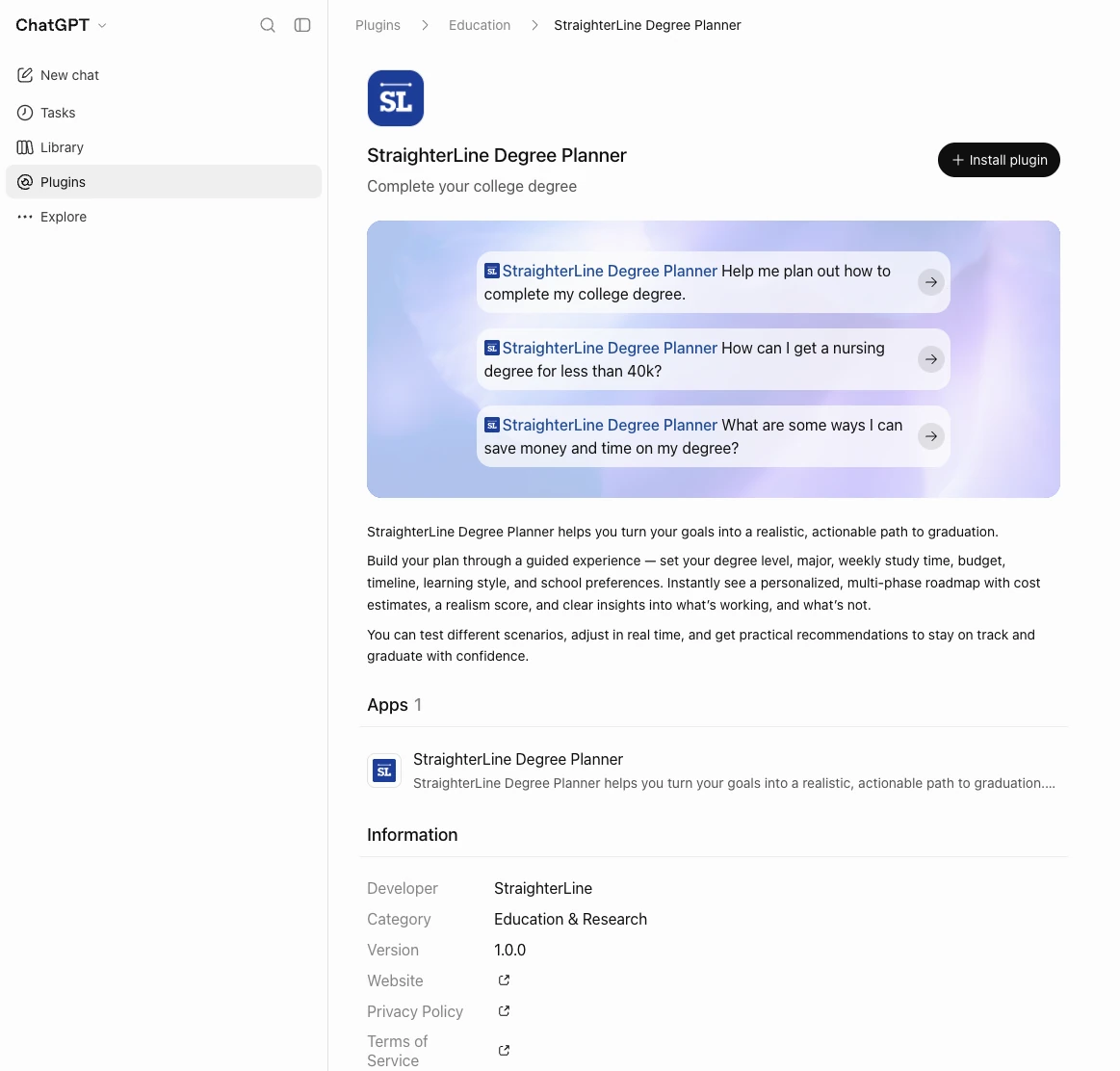
View App (StraighterLine Degree Planner in ChatGPT, opens in a new tab)
Three Directions, Not One
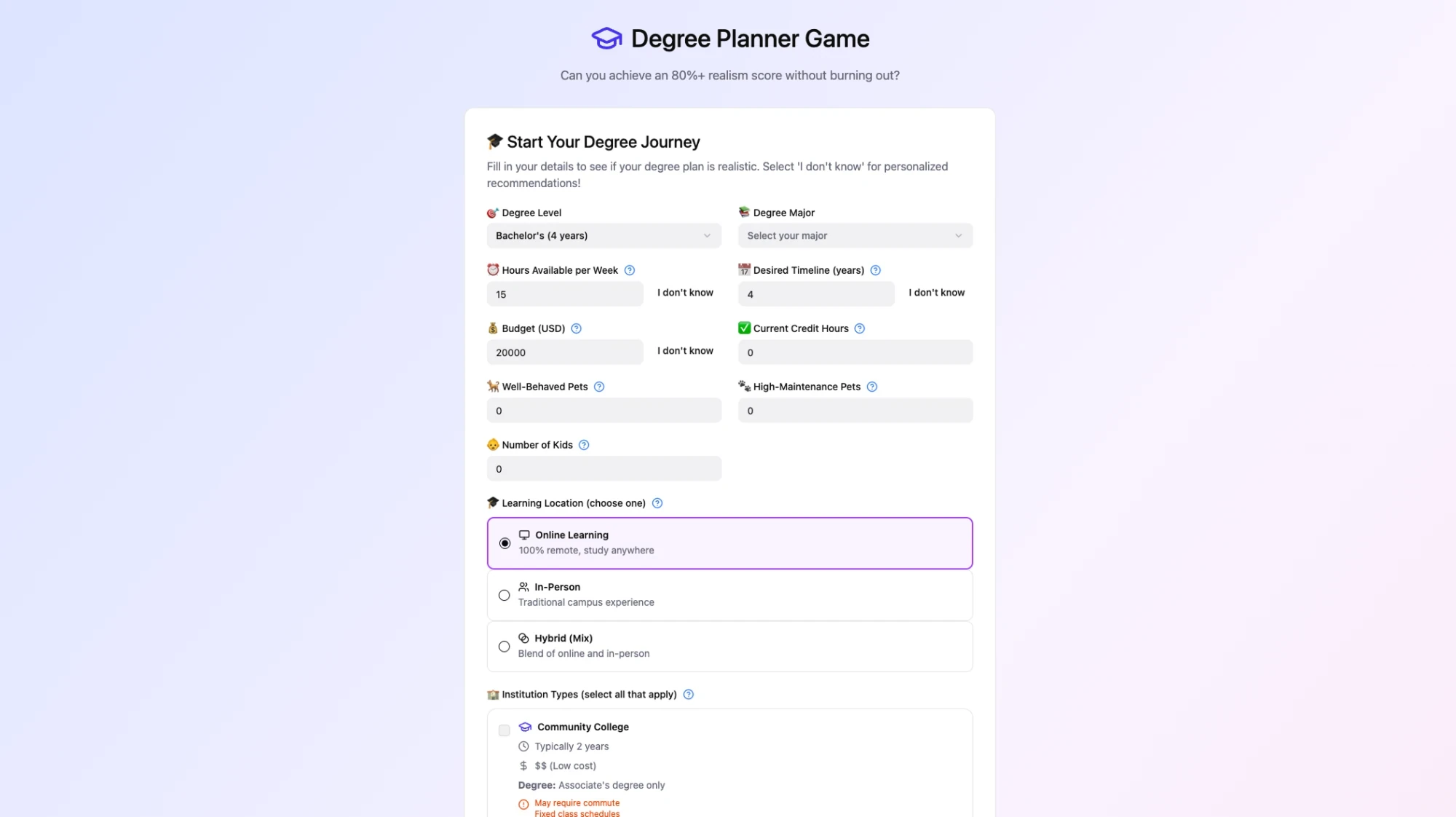
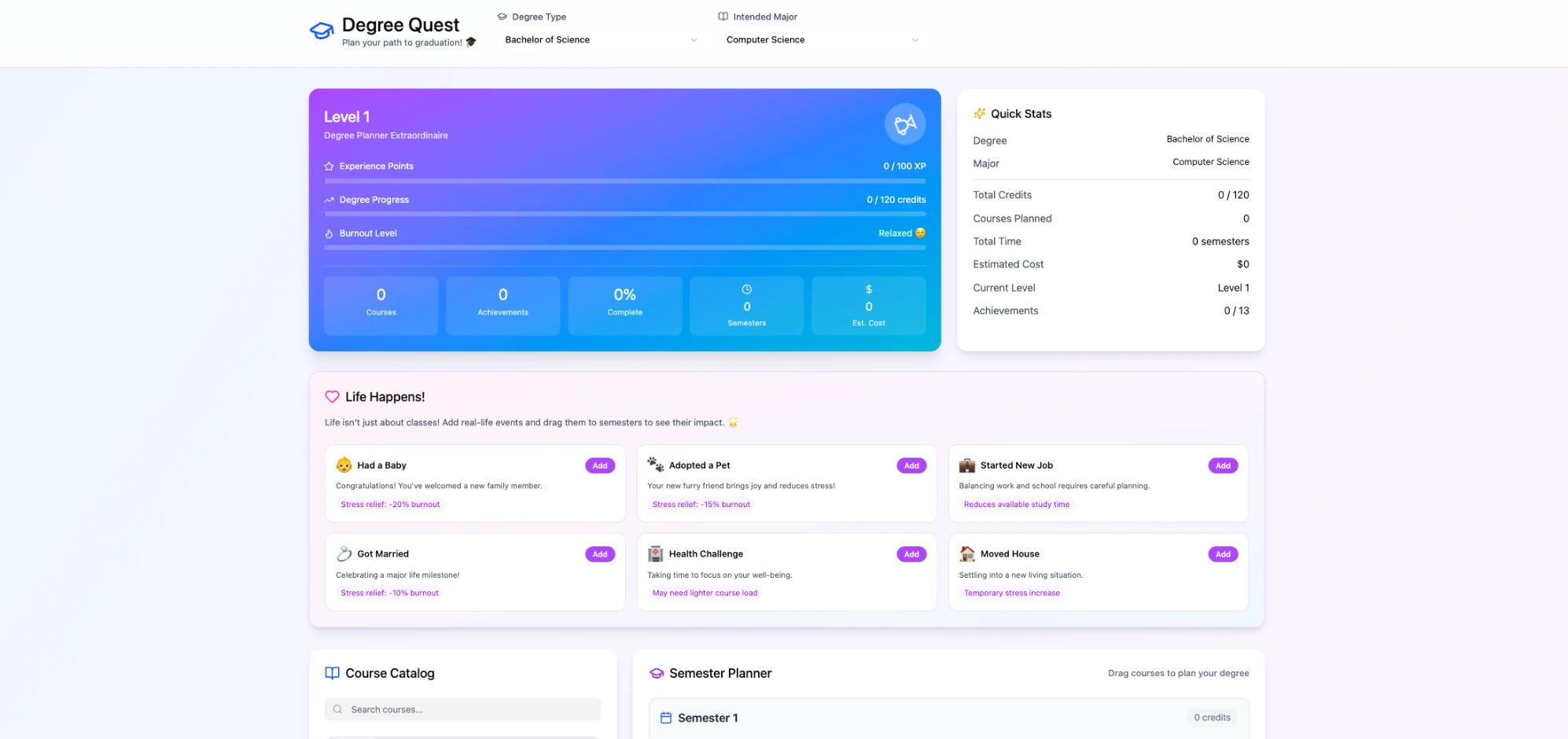
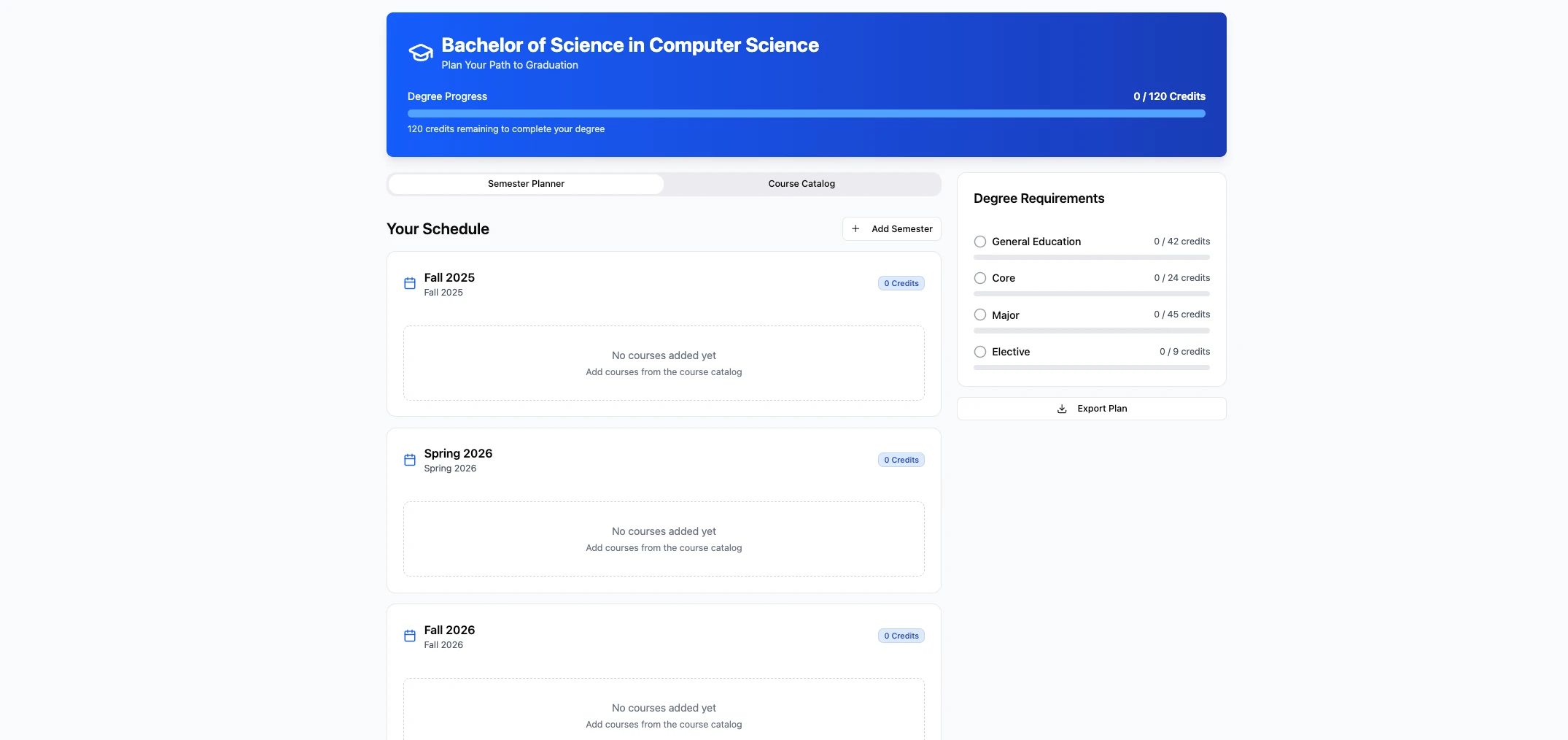
The first Figma Make prototype explored a data-rich approach to degree planning, bringing many parts of the problem into one experience. Pulling it apart with the team surfaced promising ideas and, more importantly, several different ways the product itself could work.
I used those ideas as a jumping-off point to build three parallel concepts in Figma Make. Each explored a different balance between conversation and structured UI, density and utility, guidance and engagement, so we could compare working product models side by side.
That comparison helped us focus the decision around two questions: how much structure does an AI planning experience actually need, and how much playfulness helps people make it through a complex planning process?
One Question at a Time
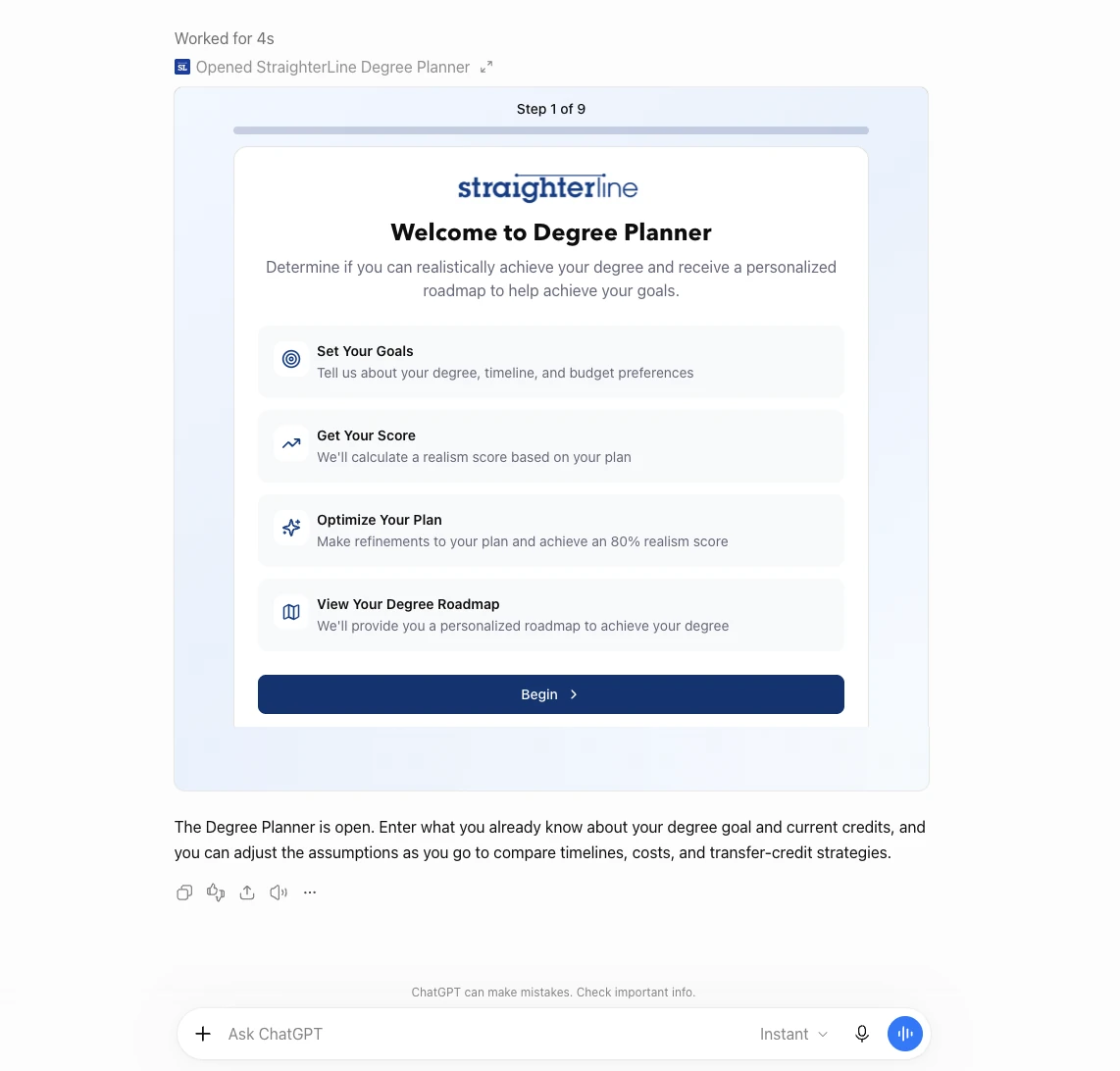
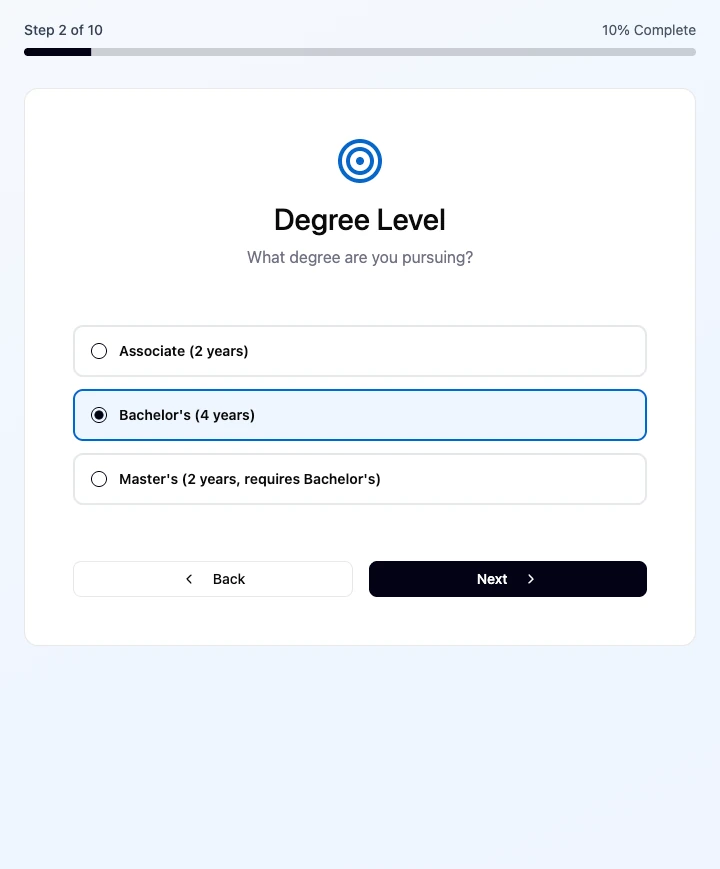
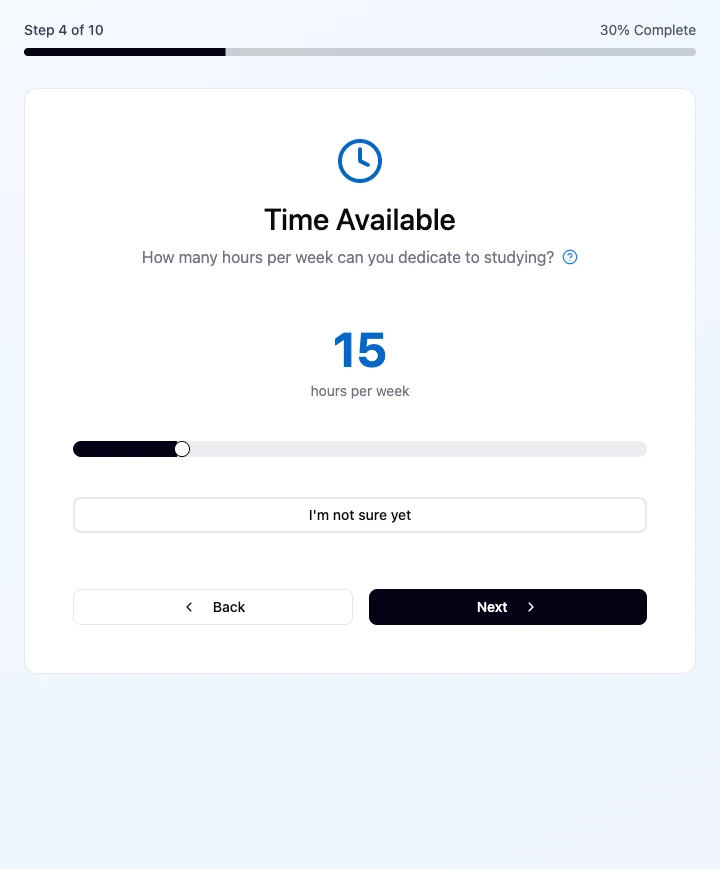
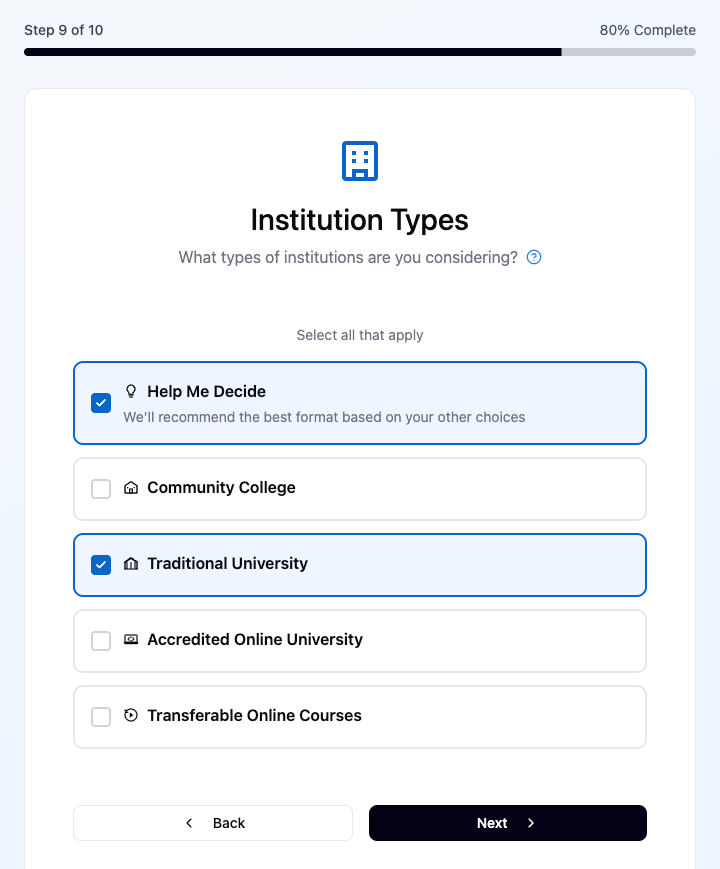
The strongest direction used progressive disclosure. Instead of asking students to understand the whole degree-planning problem up front, the planner asks one question at a time: degree level, major, weekly study time, budget, timeline, learning style and school preferences.
Complexity appears only when it becomes relevant. The conversation carries the questions and reasoning, while visible structure gives students a way to understand and compare the plan, its cost, timeline and possible adjustments.
The structured steps provide a clear path, but they aren’t the only way through. Students can answer in the interface or use the chat itself to respond, ask questions, and reuse information they’ve already shared with ChatGPT. That lets the experience move faster when the context already exists instead of making someone enter the same information again.
We used a hosted proof of concept to test the direction with leadership and build alignment around the approach.
Leadership proof of concept
Make the Plan Actionable
Collecting the inputs was only half the problem. Early result concepts put too much information and too many controls in one place, making an already complicated decision harder to understand.
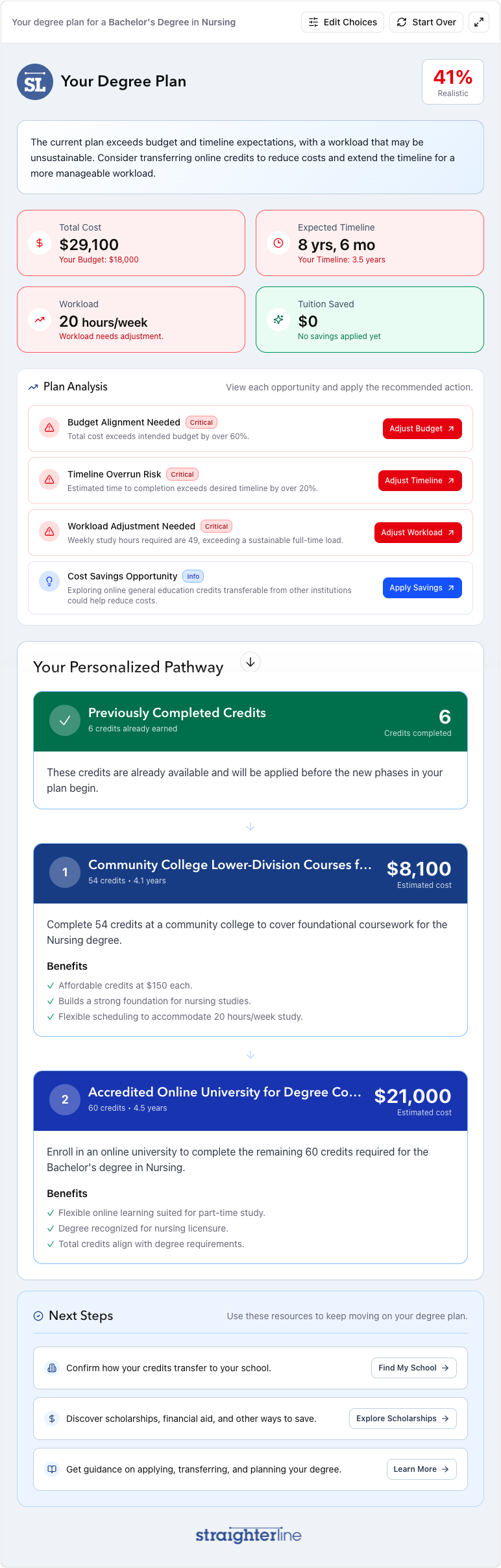
We reorganized the final plan around what someone needs to know next. Green shows what’s working, yellow flags potential risks, and red identifies what needs attention. Plan Analysis turns those issues into focused optimization opportunities rather than exposing every control at once.
The Personalized Pathway turns the result into a high-level route with expected costs and benefits by institution type. Next Steps launches common follow-up questions into native ChatGPT, so research can continue beyond the planner itself. Students can also adjust choices, start over, or describe a change in chat and return directly to the relevant decision.
The product also had to create value for StraighterLine without becoming an ad. Branding stays light, while transferable online courses appear where they’re genuinely relevant to lowering cost. A few contextual links create paths back to StraighterLine without overwhelming the planning experience or conflicting with ChatGPT’s app requirements.
Dogfood, Then Ship
From there, the planner moved into a private ChatGPT app for internal testing. The PM, an engineer and I tested the private ChatGPT version together first. A company-wide demo and internal dogfooding session followed.
That surfaced confusing language, places that needed more context or a tooltip, glitches and ideas beyond the first release. Feedback that fit the v1 scope went in. The rest was saved for later.
What Feedback Changed
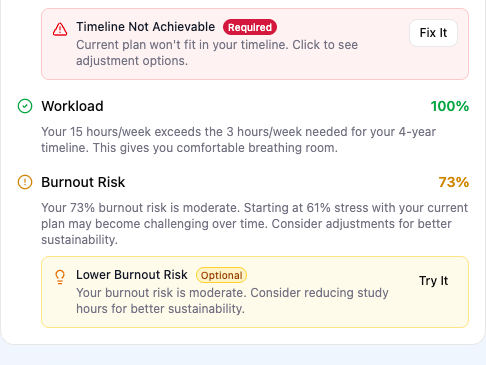
Dogfooding helped simplify both the questions and the answers. We shortened and combined the onboarding into nine steps, and changed how we communicated whether a plan was achievable. Instead of a “Realism” score, the final product describes the plan as a percentage “Realistic,” framing it as a current assessment users can improve through recommendations and adjustments.
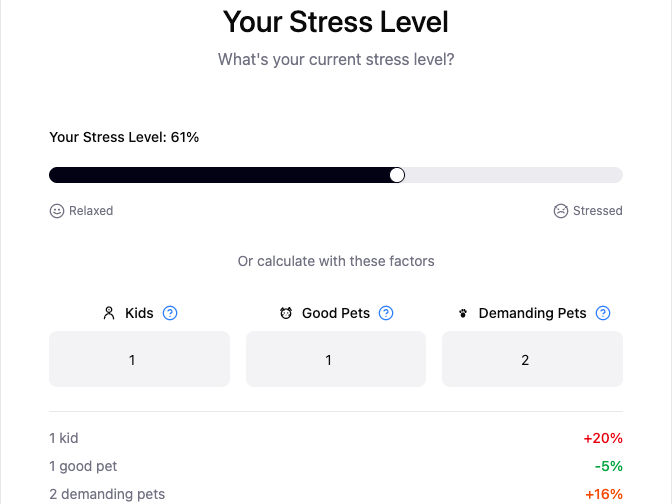
Other ideas didn’t earn their complexity. A separate Burnout score could feel confusing or demoralizing, while having children and pets add flat percentages of “stress” made the model more playful without making the guidance more useful. We cut both from V1.


Outcome
From Prototype to Published App
Requires a ChatGPT account
After a two-week review and approval process, the Degree Planner was approved and published in the ChatGPT App Directory, making it available for students to discover and use directly inside ChatGPT.
What started as an exploration of a new platform became a live product, moving from early concepts through prototyping, testing, iteration, and launch.
2 Weeks Review + Approval
Approved + Published ChatGPT App Directory